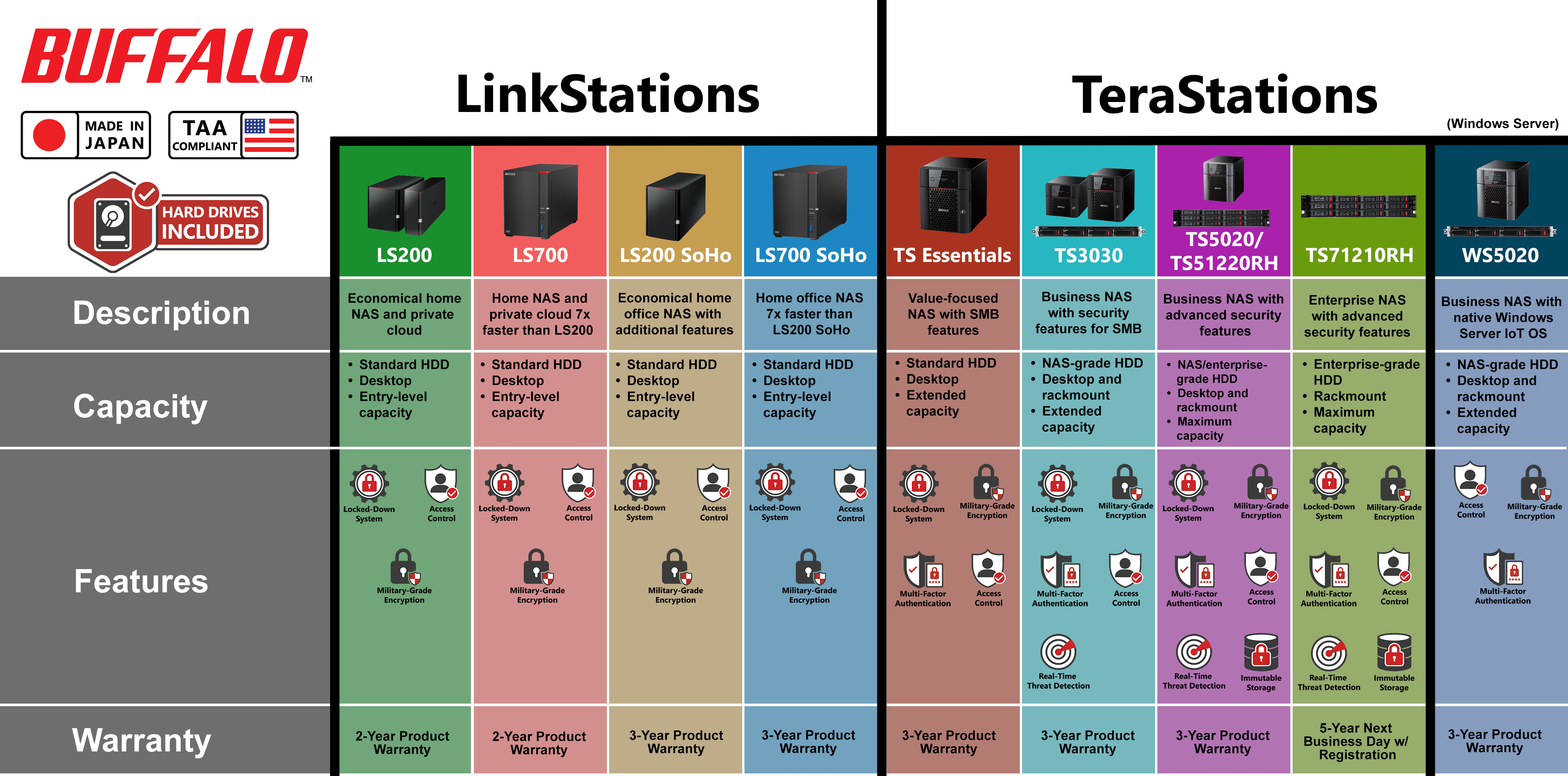
Compare Products
Browse our network storage that come with hard drives included to find the solution that best fits your needs.
Compare Products

NAS Navigator makes it easy to find your Buffalo NAS on the network and is recommended for most users. Download the latest version for Windows, or get NAS Navigator2 from the Mac App Store.

Register your product to simplify support requests and get the most from your Buffalo experience.

Replace aging storage with a new Buffalo solution and save through the TradeUP program.
Explore tools and resources that make it easier to choose the right Buffalo solution.
Browse our network storage that come with hard drives included to find the solution that best fits your needs.
Compare ProductsExplore spare parts and accessories for your Buffalo products.
Spare PartsExplore retail and online options to purchase Buffalo products based on your current region.
Where to BuyFind answers, download product resources, or get support for your Buffalo product.
Browse helpful articles, guides, troubleshooting steps, and frequently asked questions.
Visit Knowledge BaseDownload product manuals, setup guides, applications, and firmware for your Buffalo product.
View DownloadsEnter your 14-digit Buffalo product serial number to view the support options available for your product.
Buffalo serial numbers are 14 digits with no letters.

Each year, IT professionals from CRN® recognize technology vendors for outstanding products and services. In 2026, Buffalo earned top honors in SMB External Storage—including customer support—for a 10th consecutive year. The recognition reflects Buffalo’s commitment to responsive U.S.-based support and reliable warranty service customers can depend on.